
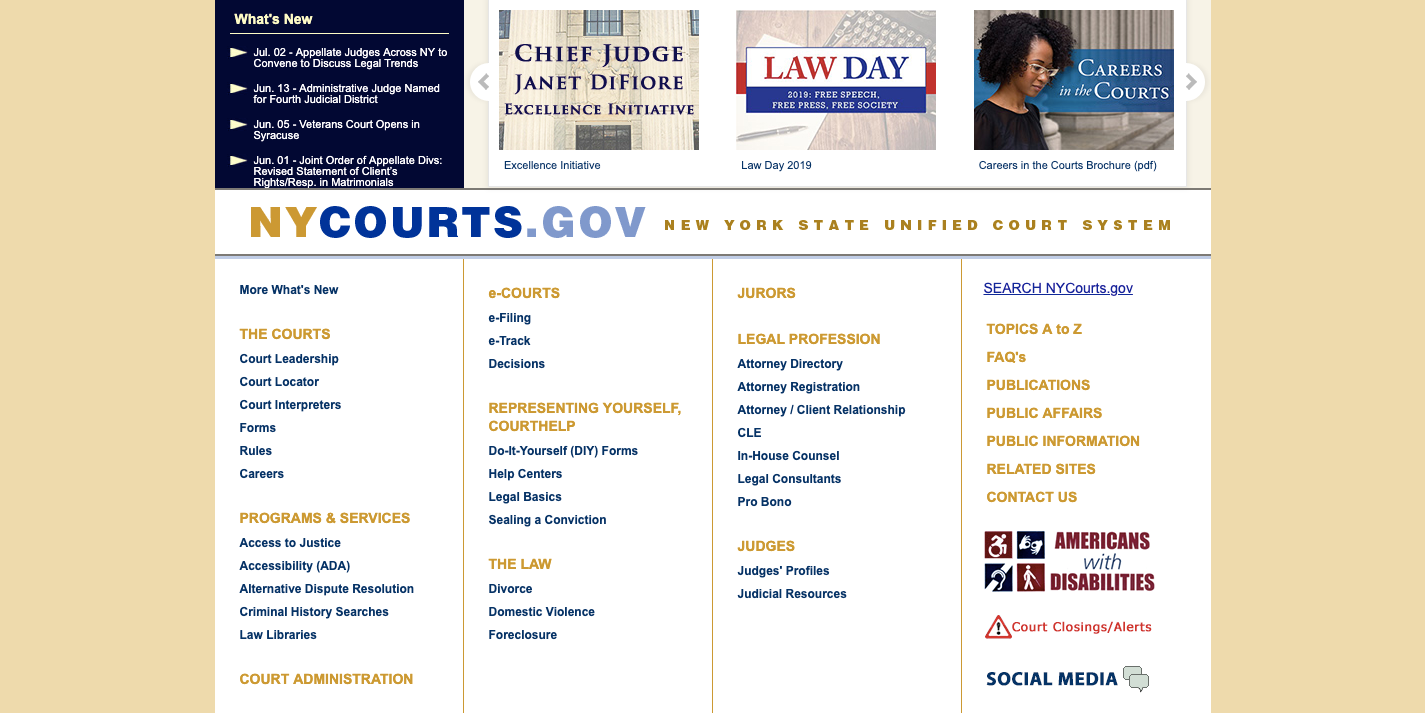
Overview of WebCrims NYC:
NYC residents can find out about criminal cases that will take place in the future through WebCrims login portal, the main resource for NYC criminal court case lookup, court date lookup. The NYC doc lookup online service is available both for public reference and for users with accounts, powered by the New York State Unified Court System. This guide will walk you through requesting an account, singing in with credentials or publicly, we will give you step by step instructions for the info you need to use in the site. We will also show you troubleshooting tips. Registered users will be able to access the following information:
- Characteristics of the defendant:
- Status
- Height
- Weight
- Hair color
- Eye Colour
- Ethnicity
- Blood alcohol content
- Vehicle information (if applicable)
- Arresting officer information (if applicable)
WebCrims Account Registration Process:
In most cases, you need an account on the WebCrims login page to access the information you are interested in. Indeed, there is a public login option, but you won’t get the same details as with a requested account. Only authorized personnel and attorneys are eligible for WebCrims accounts, so make sure you fall under one of these categories beforehand. To begin the process, follow the steps outlined below:
- Open up your browser and go to the WebCrims login page.
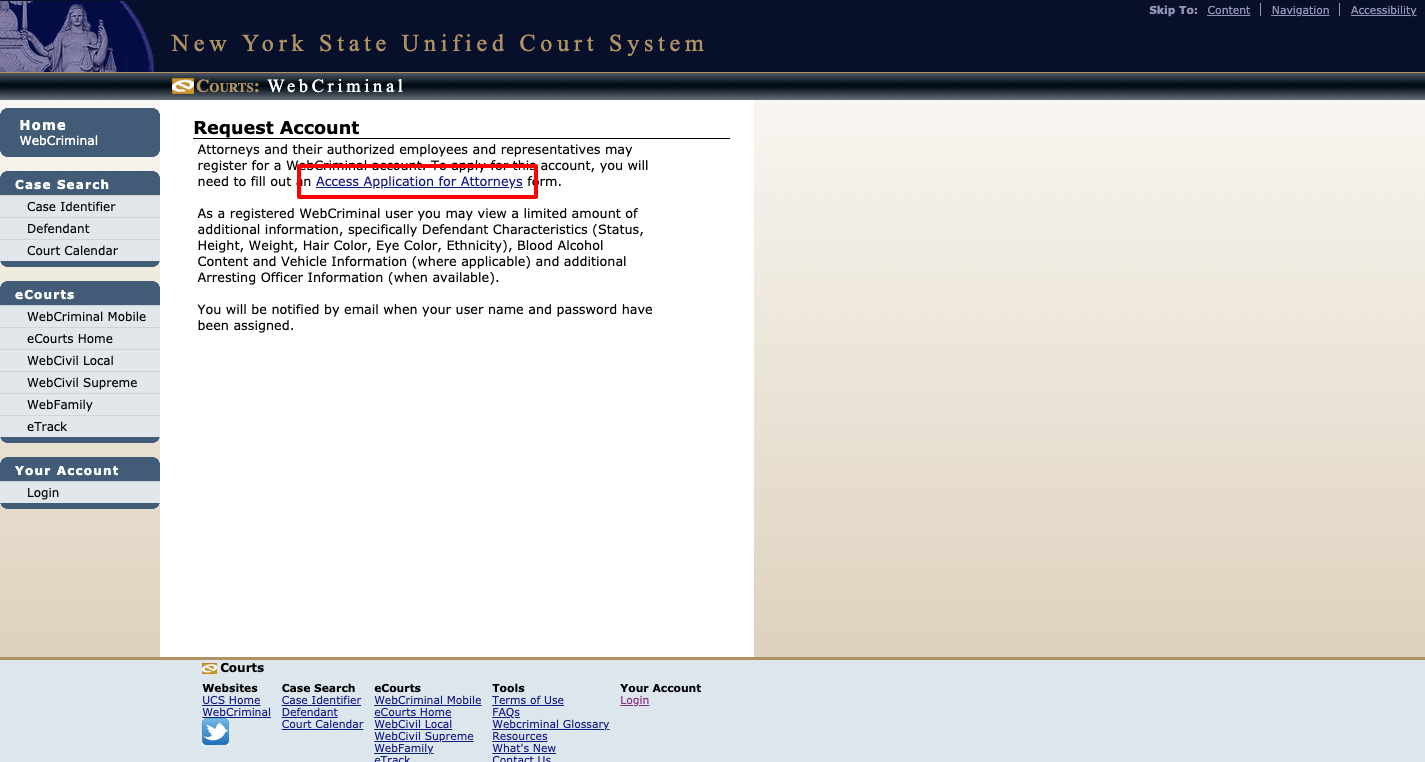
- At the bottom right corner of the home page, click on the Request Account button.

- Press the Access Application for Attorneys link after you read the Request Account information shown on the screen.
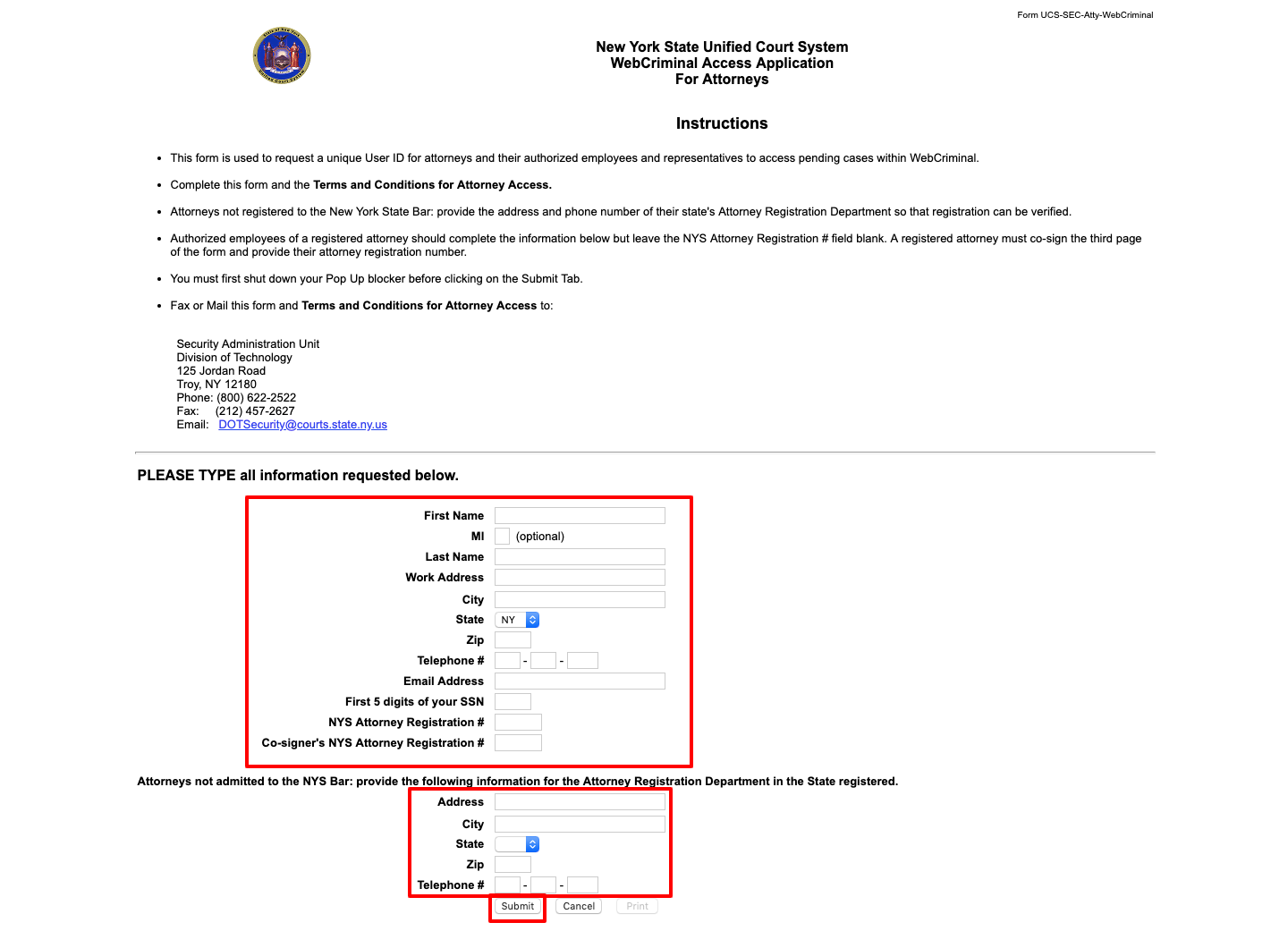
- Fill in the first three fields of the form with your First Name, MI (optional) and Last Name.
- The next fields belong to your Work Address, City, State and Zip respectively.
- Both Telephone # and Email Address must be provided as your contact information.
- Enter the first 5 digits of your SSN (Social Security Number).
- Provide your NYS Attorney Registration # and the Co-signer’s NYS Attorney Registration #.
- If you are not admitted to the NYS Bar, then enter the full Address, City, State, Zip and Telephone # for your registered Attorney Registration Department of the state.
- Push the Submit button in blue located at the footer of the site.
- Meet the Terms and Conditions for Attorney Access.
- Print the first form and the Terms and Conditions one and fax (212 457 2627) or mail them to:
Security Administration Unit
Division of Technology
125 Jordan Road
Troy, NY 12180
WebCrims Login Steps:
You’ll receive an email with your WebCrims login credentials once your account request is approved. Once you have a user name and password at hand, sign into the WebCrims login platform following these instructions:
- Access the WebCrims login page through your browser.
- Fill in your User Name in the first empty field (use the login box under Registered Users).
- Enter your Password in the next field.
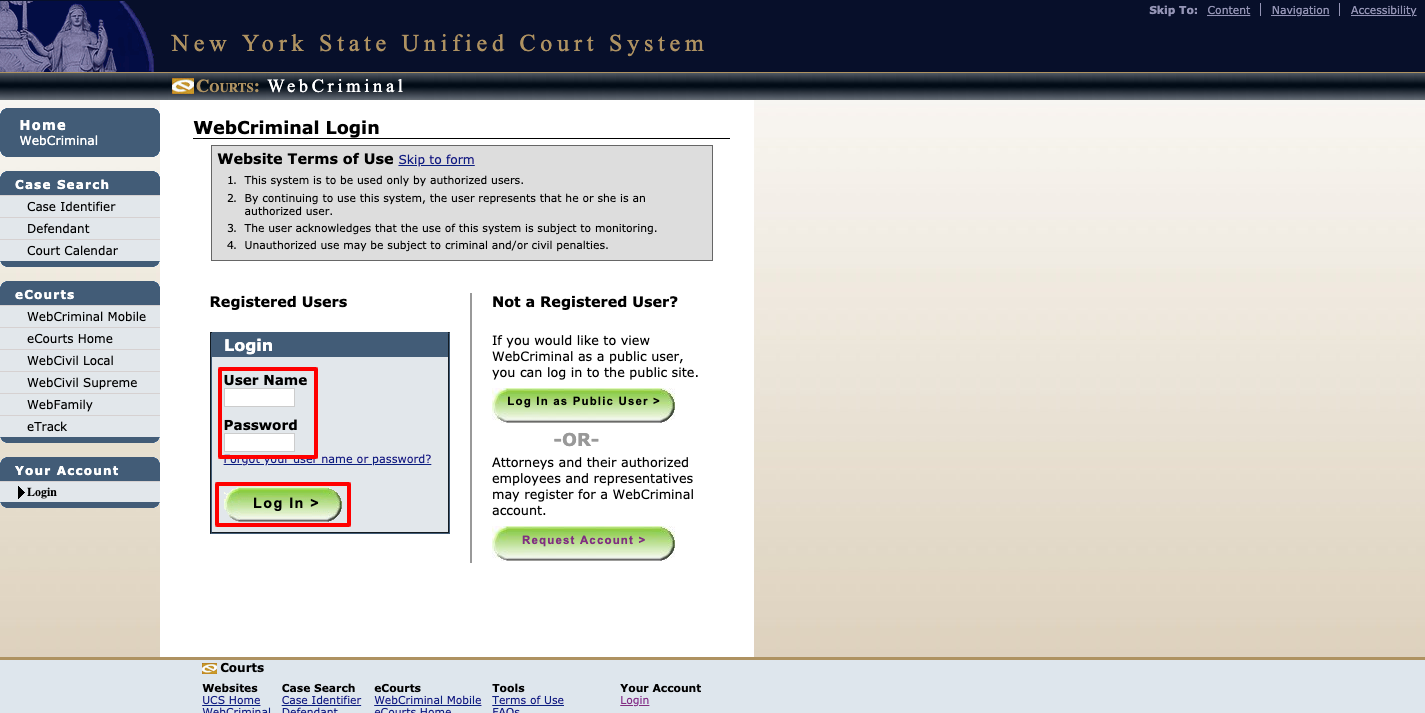
- Double check the WebCrims login credentials you provided for typos.
- To access your account, desired court date and criminal case information, press the green login button.
WebCrims NYC Public Sign in Process:
If you are not eligible for an account, you can always sign into the WebCrims login portal as a public user. Here you can access the Case Identifier in which you can search through the summons number or case numbers, Defendant Name where you can perform a lookup with a defendant’s first and last name even a corporation’s name or Court Calendar that lets you view a court part calendar/judge calendar in supreme and county court. Follow these steps to know how you can reach them:
- Go to WebCrims login site.
- Under the Not a Registered User heading, press the Log in as Public User button.
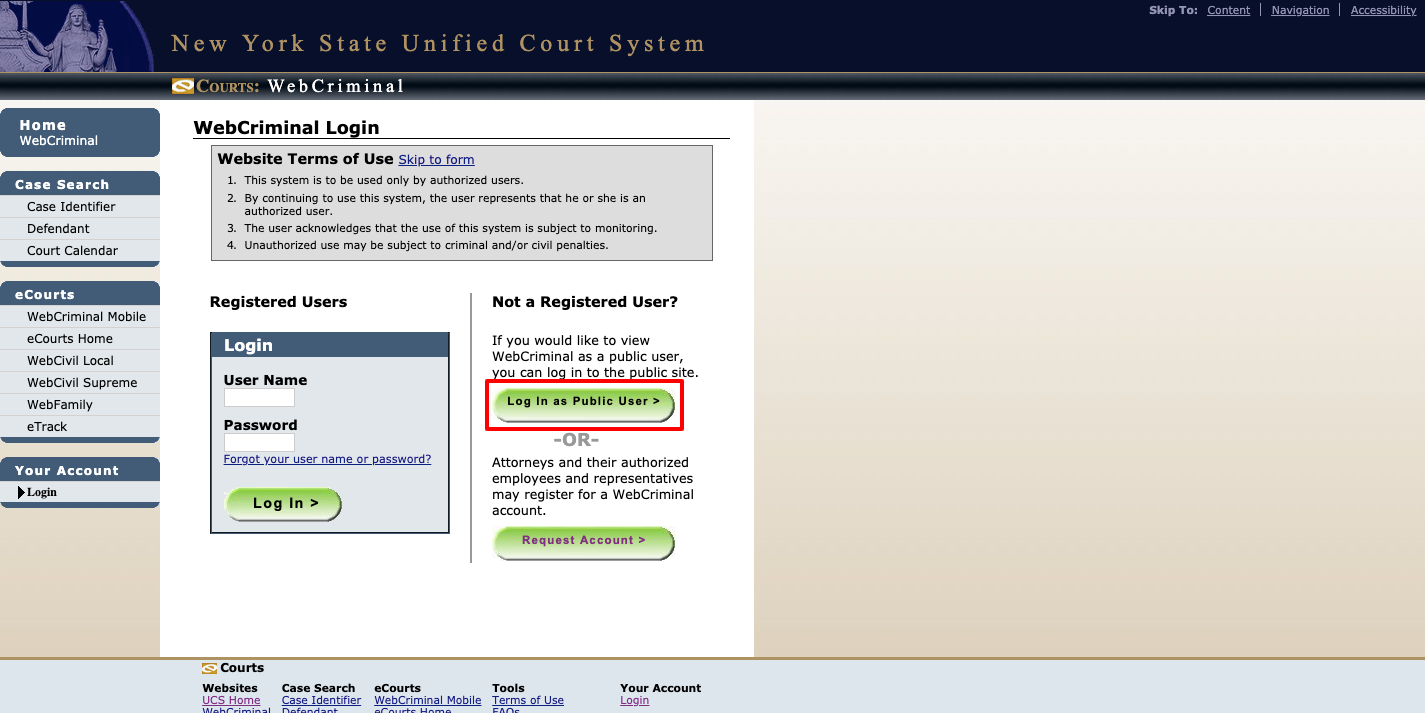
- According to your needs select one of these three search options:
- Case Identifier
- Defendant Name
- Court Calendar
 WebCrims Login Troubleshooting Tips:
 WebCrims Login Troubleshooting Tips:
In case you misplace your username or password, you can perform account recovery WebCrims login page itself. You will be assigned a new password. This information will be delivered to you on the email address you provided while registration. If this is the case, perform the following steps:
- Access the WebCrims login webpage.
- Under the empty Password field in the Registered Users login box, find and push the blue Forgot your user name or password?
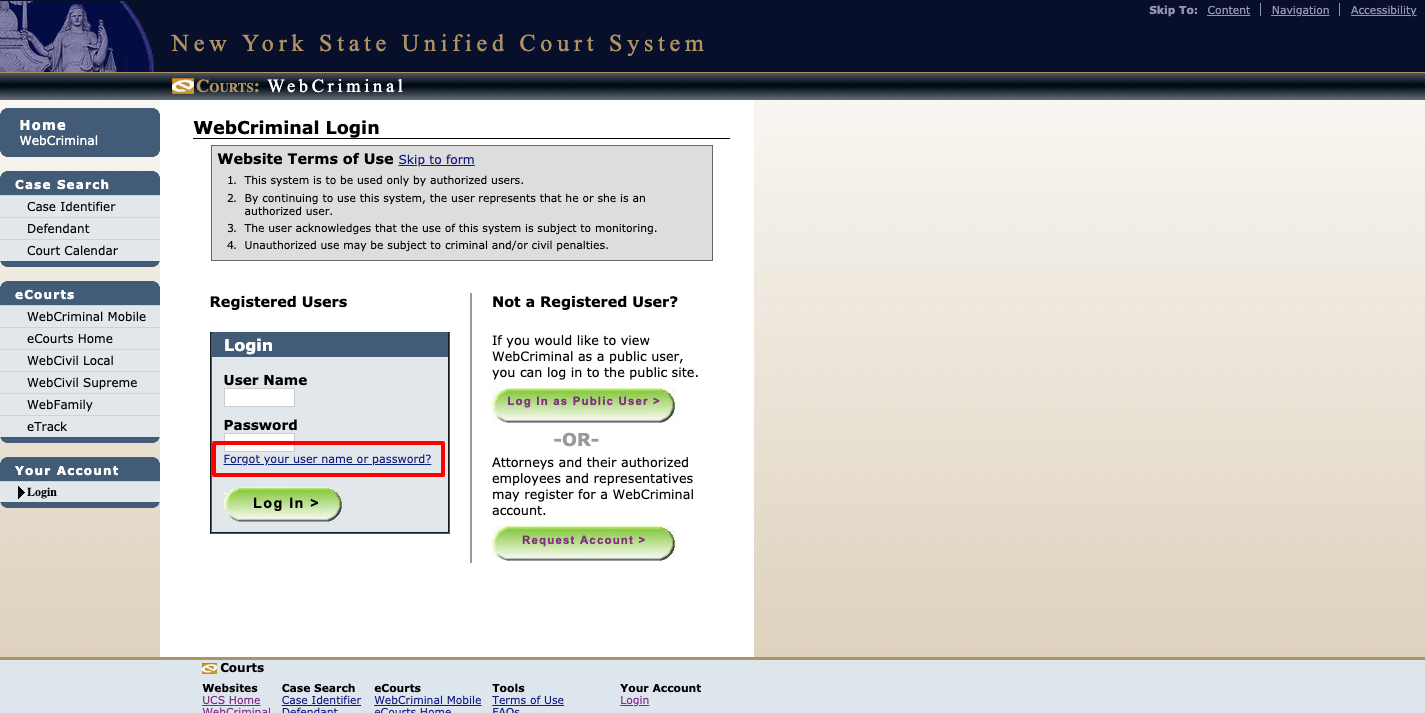
- Provide the following necessary contact information:
- First Name
- Last Name
- Email Address
- Daytime Phone
- Enter your User Name only if you know it, it’s optional.
- Press the green Submit button to get the new password mail from WebCrims.

More Read: Northwell Health Employee Self Service Login
NYC Court Contact Details:
For any other WebCrims login page account request related inquiries, contact (800) 622 2522 or DOTSecurity@courts.state.ny.us. We recommend browsing through the FAQs before contacting WebCrims at- iapps.courts.state.ny.us/AttorneyHelp. If you don’t find your queries listed in the FAQ section, write an email to question@nycourts.gov. For any e-Filing related queries, you can write to efile@nycourts.gov. For any other queries visit the New York State Unified Court System website at- www.nycourts.gov.
Reference: